Analyze the sentiment
See whether the LLMs talk positively, neutrally or negatively about your brand. A score from 1 to 100 tells you how the LLMs present your brand to users.
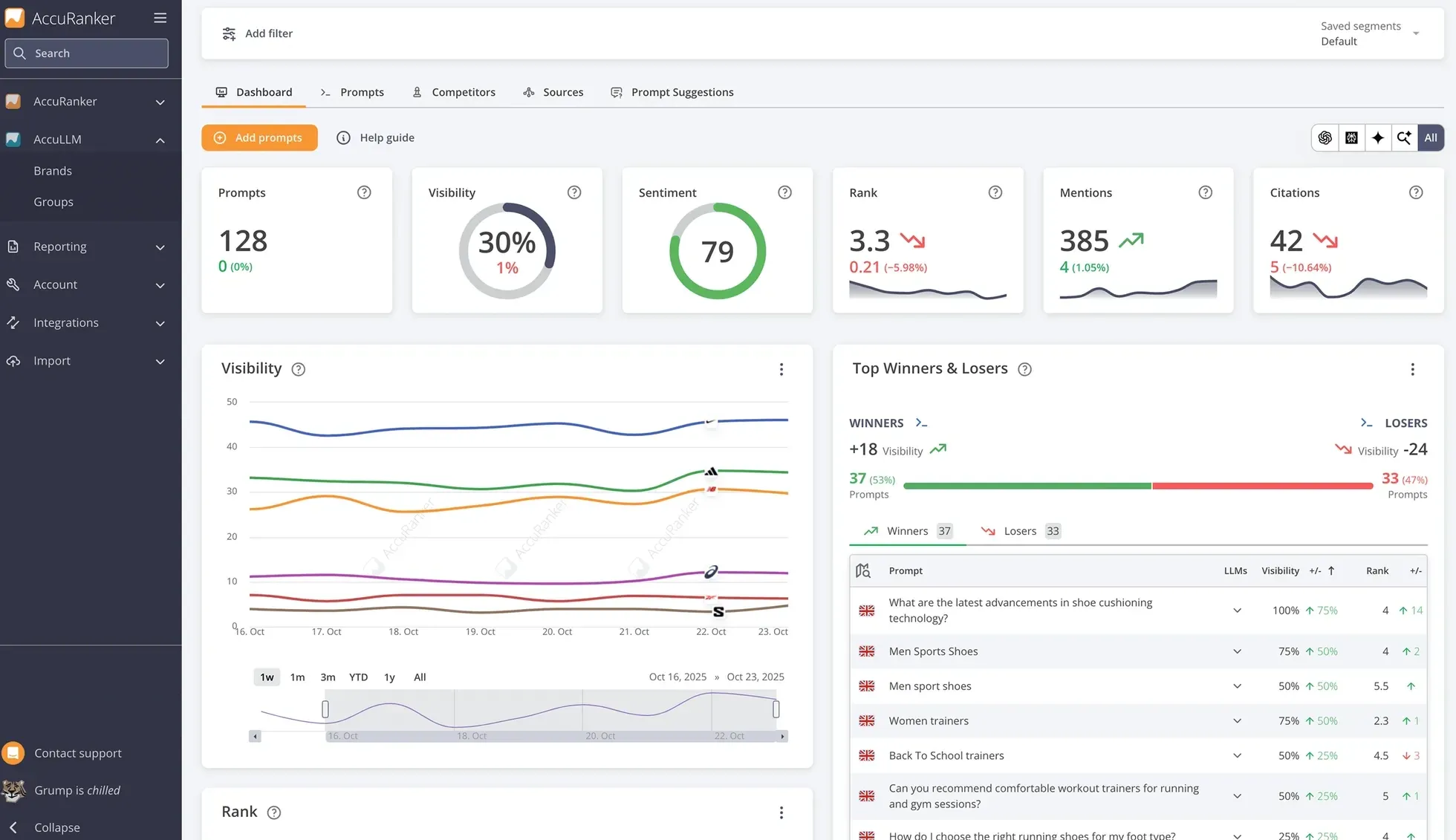
AccuLLM shows how visible your brand is in AI answers. Track the prompts that matter, measure sentiment, learn which sources the LLMs cite, and benchmark against your competitors.
An AccuRanker product
Every prompt you track is run daily in each engine. AccuLLM reads the answers and turns them into metrics you can report on.
How often your brand or domain appears in the answers to your tracked prompts.
Where your brand is mentioned compared with your competitors, by order of mention.
How many times the LLMs mention your brand in their answers.
How often the LLMs cite your domain, and which of your landing pages they cite.
Track your visibility
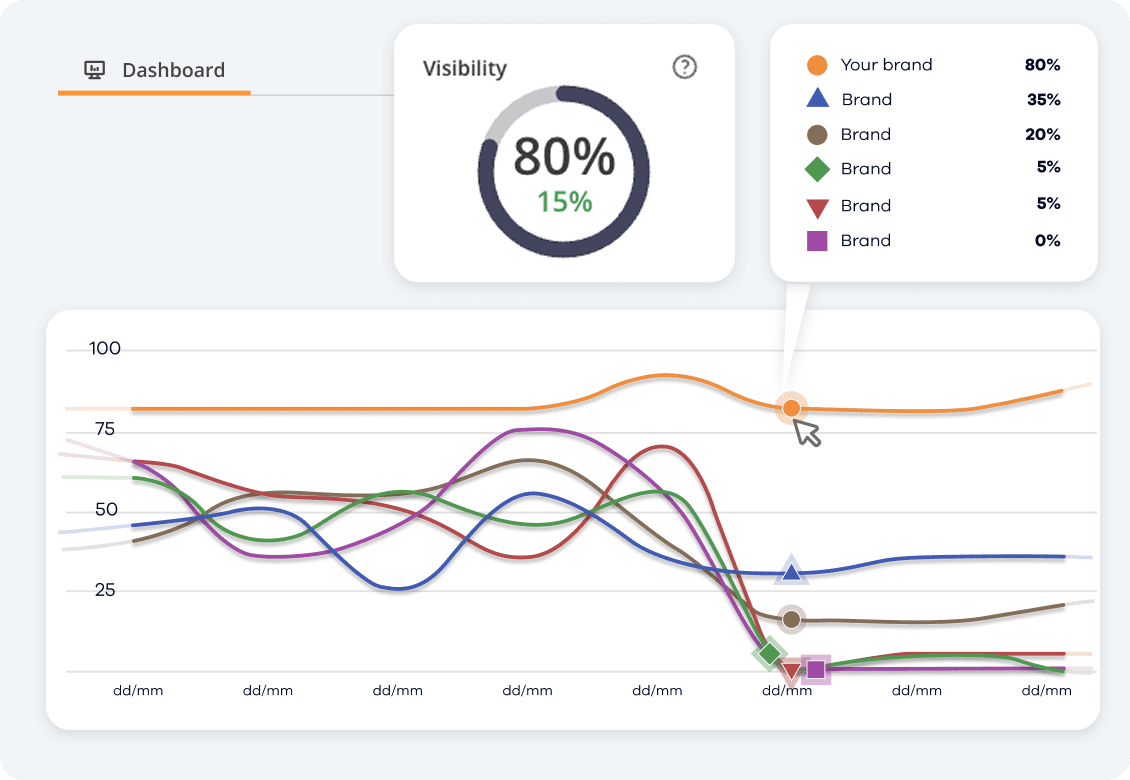
AccuLLM lets you track your performance in ChatGPT, AI Overviews and AI Mode. Learn how visible you are in LLMs based on how often your brand or domain is mentioned across your tracked prompts.
Monitor competitors
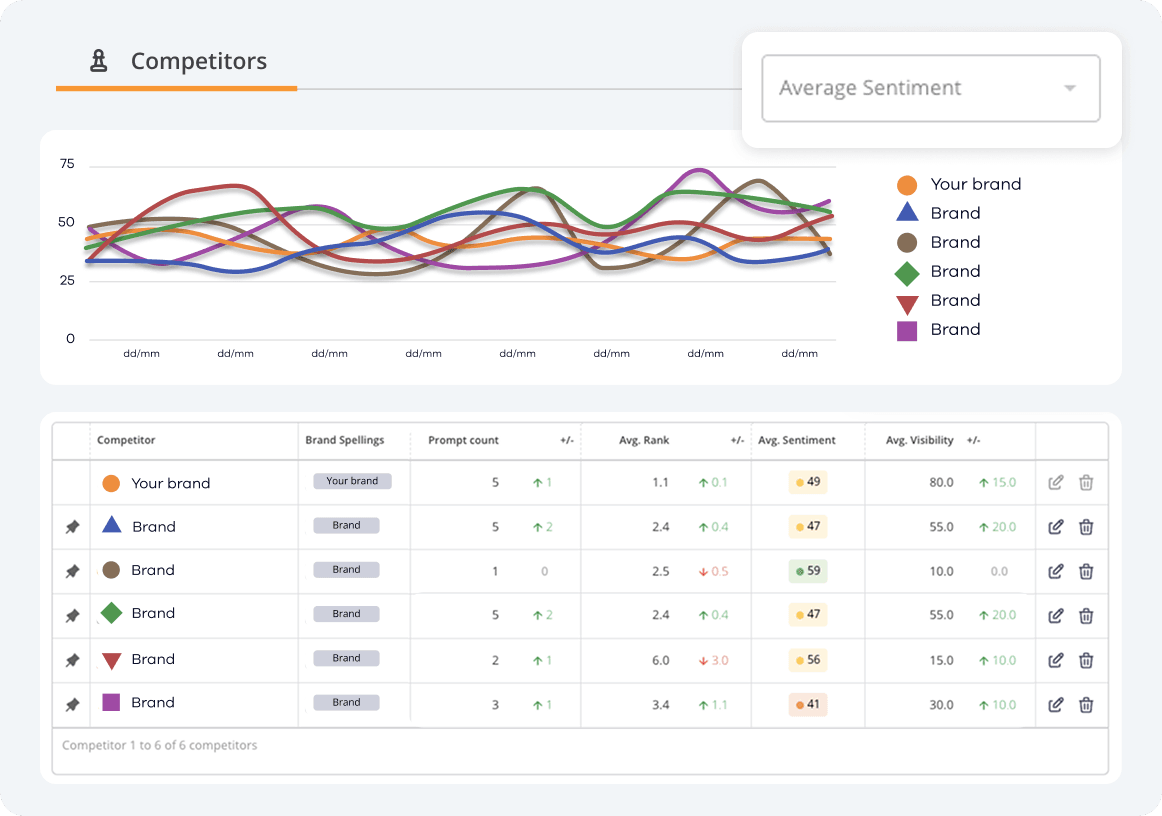
Learn who your competitors are and compare your brand to them across average visibility, rank and sentiment. AccuLLM gives you insights into how your competitors perform in LLMs, so you can benchmark your performance.
See whether the LLMs talk positively, neutrally or negatively about your brand. A score from 1 to 100 tells you how the LLMs present your brand to users.
AccuLLM suggests prompts to track based on your brand and the different parts of your business, sorted by category and labelled with search intent.
Track which domains and landing pages the LLMs cite most often, so you know where to build your presence.
Learn how often the LLMs search the web to answer your prompts. When they do, you have a chance to influence the answer.
Monitor how many of the total brand mentions you own across your tracked prompts, and whether competitors are gaining ground.
Organize prompts with tags and folders, filter by engine, country, rank or sentiment, and share dashboards and reports with your team or clients.
Each prompt you track is checked daily in ChatGPT, Google AI Overviews and Google AI Mode. More engines are on the way.
Conversational answers, often backed by a live web search.
The most used AI assistant. Many answers are backed by a live web search.
AI assistantsGoogle's AI assistant.
In developmentMicrosoft's AI assistant in Bing, Windows and Edge.
In developmentAI answers in Google Search, above or instead of the organic results.
How it works
AccuLLM runs your prompts in each engine, reads the answer and matches your brand spellings, your domain and your competitors. Every answer is stored, so you can read it and see exactly where you were mentioned.
what is the best rank tracker for agencies?
ChatGPT
For agencies, Semrush1 and AccuRanker2 are the most recommended. AccuRanker stands out for daily updates and accurate local tracking, while Ahrefs3 is favoured for its wider SEO toolset.
What AccuLLM reads from this answer
AccuRanker MCP
The AccuRanker MCP connects your AccuLLM data to AI assistants. Ask how visible your brand is, what changed and which sources the LLMs cite, and get answers from your real data without switching tabs.
How has my brand’s visibility in ChatGPT changed this month?
AccuRanker MCP get_brand_history · list_prompts
Your brand is more visible in ChatGPT this month: it appears in 68% of tracked prompts, up 4 points, and is now mentioned ahead of two competitors on average. Sentiment is steady at 82. The share of citations grew, mostly from your comparison pages.
A short wizard takes you from brand name to tracked prompts. Competitors and prompt suggestions are seeded for you.
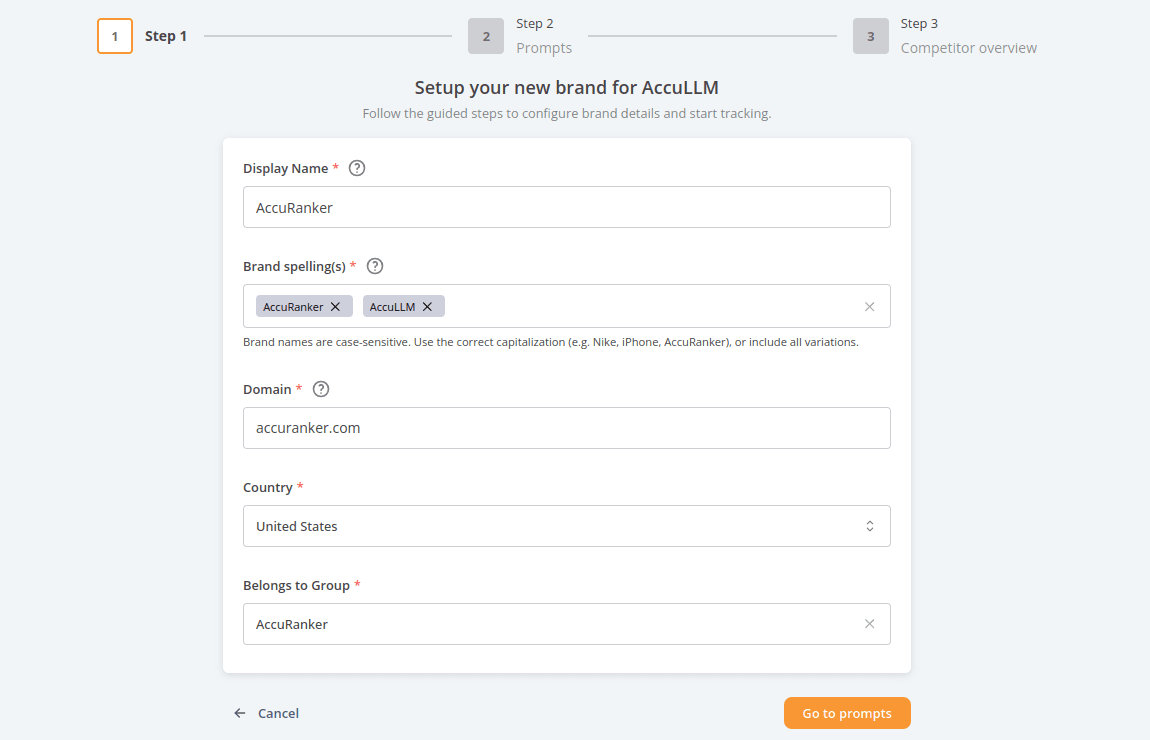
Enter your brand name and spellings, your domain and the default country the prompts are asked from.
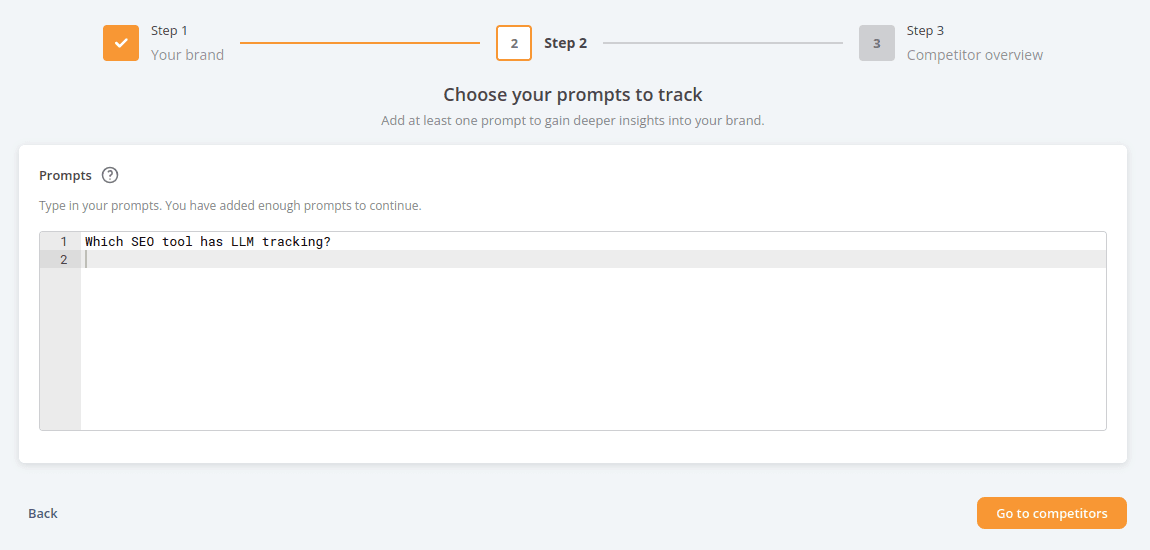
Add the prompts you already know. Suggestions sorted by category and search intent follow after setup.
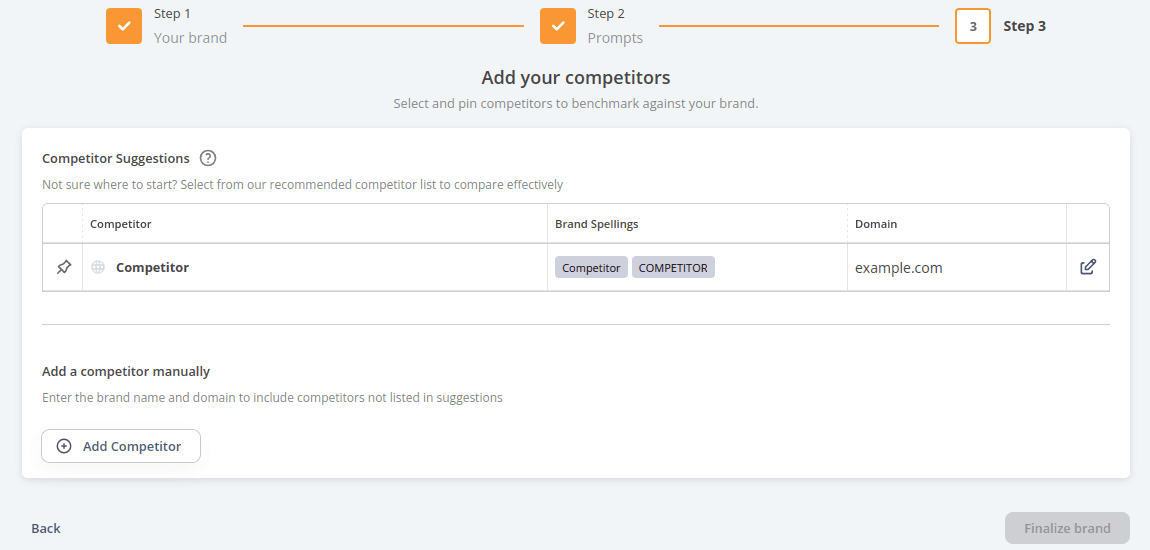
Review the competitors we found for you and pin the ones that matter. They appear in every graph from day one.
AccuLLM is built into AccuRanker, so your Google rankings and your AI visibility sit side by side, in the same app and account.
Invite your whole team and your clients. Groups and user permissions control who sees which brands.
Pull your LLM data into your own tools with the API, or ask for it in ChatGPT and Claude through the AccuRanker MCP. Integrations with BigQuery and Looker Studio are available too.
ChatGPT, Google AI Overviews and Google AI Mode today, with more engines coming. Every prompt you track is run in all of them, so you can compare engines side by side.
By order of mention. The first brand mentioned among you and your competitors ranks 1, the next 2, and so on. Brands are matched on the spellings and domain you define. See the metrics guide for the details.
Yes. Plans include one or more brands, each with its own prompts, competitors and country. Groups and user permissions control who can see each brand.
Yes. The AccuRanker MCP connects your AccuLLM data to ChatGPT, Claude, Claude Code and other MCP-capable assistants, so you can ask about visibility, sentiment, mentions and citations in plain language. It is read-only and included in every plan.
Daily. Each tracked prompt is run in every engine once a day, and the full answer is stored so you can read it later.
One prompt is one question or request you track, in one country. It is run in every engine, so 100 prompts means 100 prompts across ChatGPT, AI Overviews and AI Mode, not 33 per engine.
No. AccuLLM has its own plans. If you already use AccuRanker for rank tracking, AccuLLM is added to the same account, and the two sit side by side in the same app.
Request a demo and we will walk you through AccuLLM with your own brand, your prompts and your competitors.