From prompt to insight
How it worksSet up a brand, choose the prompts your customers ask, and AccuLLM runs them in every engine each day, reads the answers and turns them into metrics.
Three steps to your first insights
Setup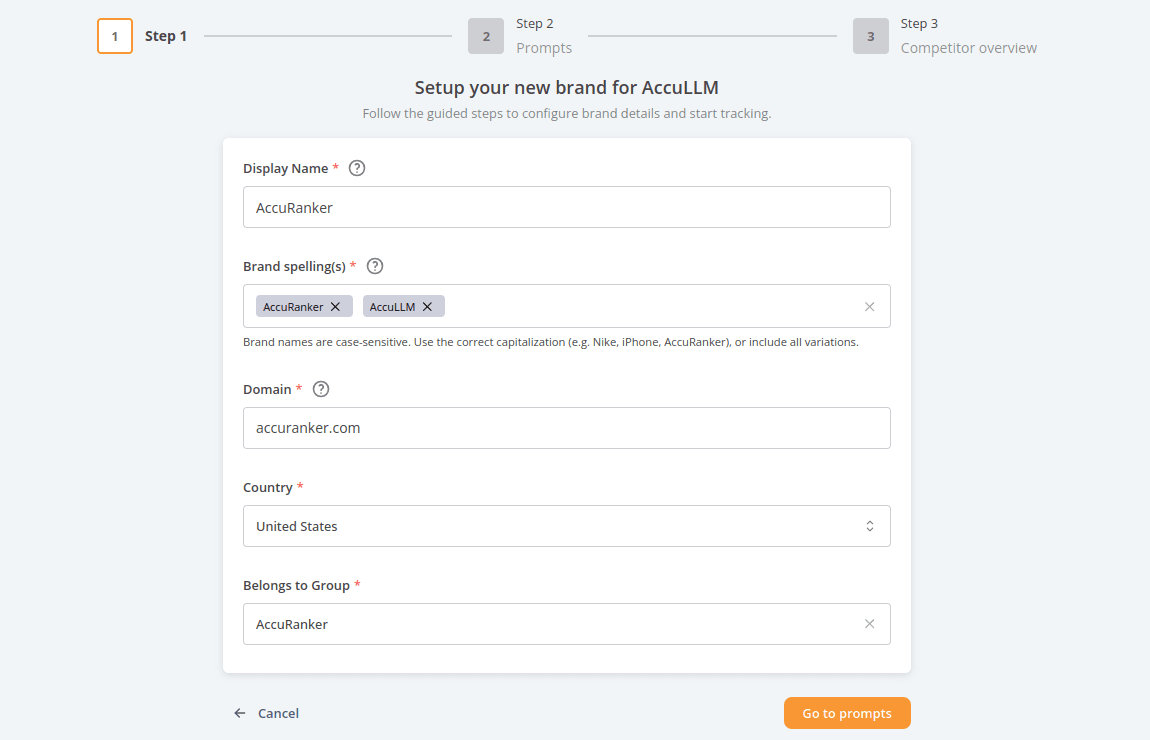
Set up your brand
Enter your brand's display name and at least one spelling. We use the spellings and your domain to find you in the answers. Choose the default country the prompts are asked from, and a group for permissions.
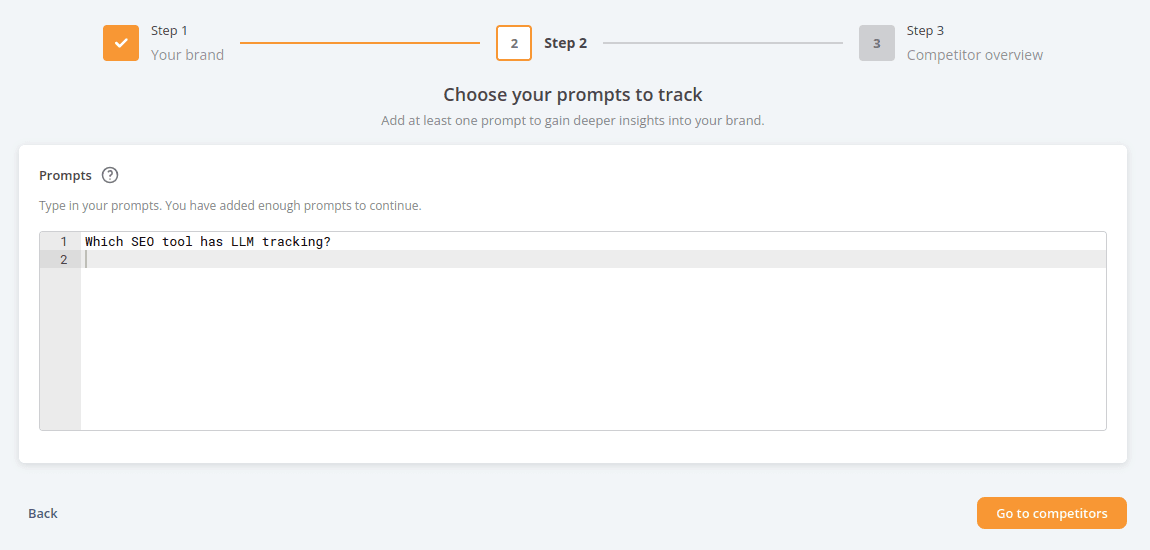
Choose your prompts
Add the prompts you want to track. After setup, AccuLLM suggests more, generated from what the LLMs and Google know about your brand and sorted by category and search intent.
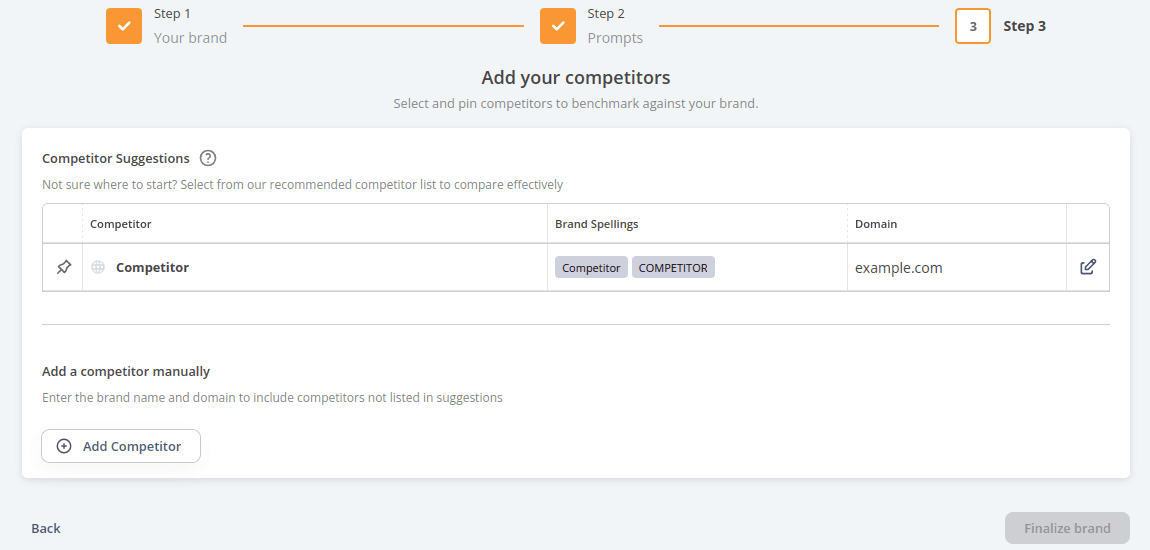
Pin your competitors
Review the competitors we found and pin the ones you want in your graphs. Their spellings are generated for you and can be edited at any time.
Every day, for every prompt
Once a brand is set up, AccuLLM does the rest. Each tracked prompt is run in every engine once a day, from the country you chose, and the answer is read and stored.
Prompts are run
In ChatGPT, Google AI Overviews and Google AI Mode, from your chosen country.
Answers are read
Your brand spellings, your domain and your competitors are matched in the text. Sources and landing pages are extracted.
Metrics are updated
Visibility, rank, sentiment, mentions, citations, web search rate and Top Proximity Score, per prompt and per engine.
History is kept
Every answer stays available, so you can read what an engine said on any day and see how it changed.
How an answer becomes metrics
Inside an answer
Rank is by order of mention among the brands defined as competitors. Sentiment looks at every snippet about your brand, including list headings and table headers, and combines them into one score per prompt.
- Brand domains match case-insensitively, spellings case-sensitively
- Only brands defined as competitors are ranked
- Older answers keep their ranks when competitors change
what is the best rank tracker for agencies?
ChatGPT
For agencies, Semrush1 and AccuRanker2 are the most recommended. AccuRanker stands out for daily updates and accurate local tracking, while Ahrefs3 is favoured for its wider SEO toolset.
What AccuLLM reads from this answer
- Visibility
- 100%
- Rank
- 2
- Sentiment
- 84
- Mentions
- 2
- Citations
- 1
- Web search
- Yes
Questions about the data
Where are the prompts asked from?
From the default country you chose for the brand. You can add more countries after setup, and each prompt is tracked per country.
What does a 50% web search rate mean?
That the engine searched the web to answer half of your tracked prompts that day. Answers based only on training data are harder to influence.
Why does my average rank differ between the list and a single engine?
Metrics in the list are averages across engines. Filter by one engine, in the filter bar or the switch in the top right corner, and every metric reflects that engine only.
Is historical data re-evaluated when I change competitors?
Only the latest day. Adding or editing a competitor re-reads that day’s answers; removing one does not. Older answers keep the ranks they were given.
See how AI answers talk about your brand
Request a demo and we will walk you through AccuLLM with your own brand, your prompts and your competitors.