Visibility and rank per prompt
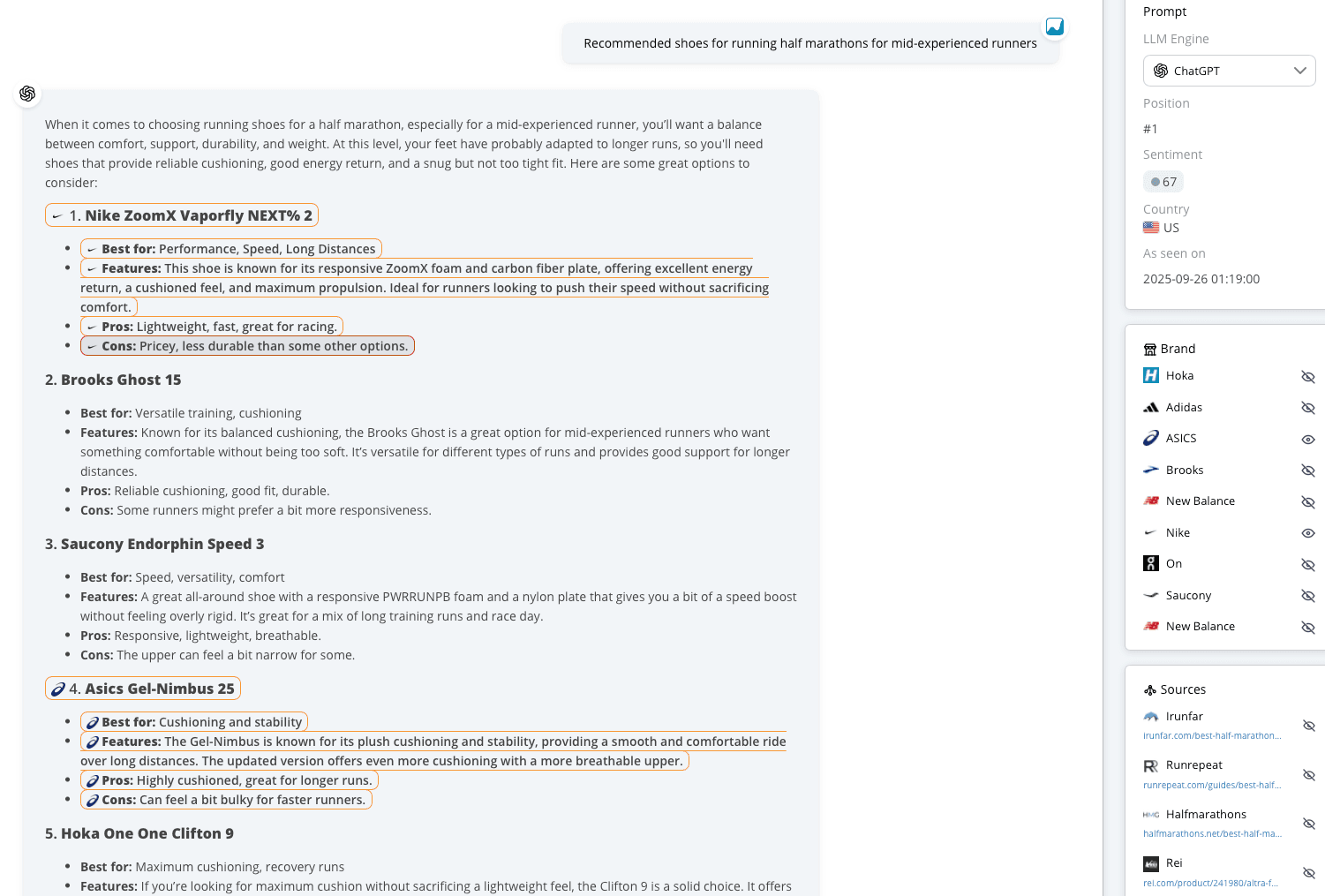
See for each prompt and engine whether you are mentioned and in which order. Unfold a prompt for the result per engine and a snippet of the answer.
Visibility, rank, sentiment, mentions, citations and the sources behind them, for every prompt you track in ChatGPT, AI Overviews and AI Mode.
Shown as averages, counts or sums across engines, or per engine with the engine filter.
0% or 100% per engine, depending on whether your brand appears in the answer. Averaged across engines and prompts.
Your position by order of mention among the competitors defined for your brand.
From 1 (least favourable) to 100 (most favourable), based on every snippet about your brand.
The percentage of all citations in your tracked prompts that go to your domain.
See for each prompt and engine whether you are mentioned and in which order. Unfold a prompt for the result per engine and a snippet of the answer.
Every mention and its context feed one score from 1 to 100 per answer, so you can spot reputation risks and measure how the LLMs describe you.
Which domains and landing pages the LLMs cite, how often, and how early. Your own share of citations over time.
Competitors are seeded for you. Pin the ones that matter and compare visibility, rank, sentiment and share of brand mentions.
Ready-made prompts for your brand, sorted by category and labelled with search intent. New suggestions are generated as you use them.
How often the LLMs searched the web to answer your prompts. When they did, you can influence the answer.
Organize prompts with tags and folders by product, market or content type, and compare their performance side by side.
A customizable dashboard with KPIs and widgets, exports as image or CSV, and prompt reports in CSV, Excel or Google Sheets.
Workspaces, groups, user permissions, filtering, tagging, API access and the AccuRanker MCP for ChatGPT and Claude, shared with AccuRanker’s rank tracking.
Prompt view
Every answer is stored. Open a prompt to read the full response from each engine, with the mentioned brands and the cited sources highlighted in the text.
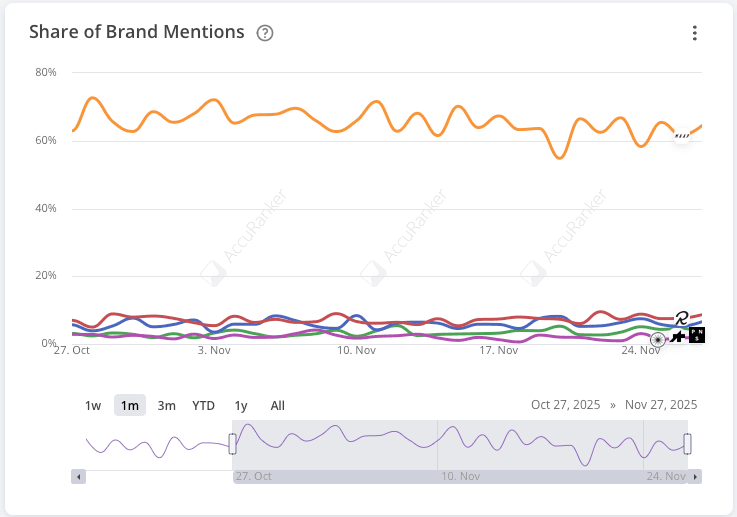
Share of voice
Share of brand mentions and share of citations show how much of the conversation you own compared with your competitors, and how that changes over time.
AccuRanker MCP
The AccuRanker MCP connects your AccuLLM data to AI assistants. Ask about visibility, sentiment, mentions and citations in plain language and get answers from your real data, inside the tools you already use.
Which prompts lost visibility in AI Overviews this week?
AccuRanker MCP get_brand_history · list_prompts
Your brand is more visible in ChatGPT this month: it appears in 68% of tracked prompts, up 4 points, and is now mentioned ahead of two competitors on average. Sentiment is steady at 82. The share of citations grew, mostly from your comparison pages.
The most used AI assistant. Many answers are backed by a live web search.
AI assistantsThe generated answer above Google's organic results.
AI in Google SearchGoogle's conversational search, with follow-up questions instead of a results page.
AI in Google SearchGoogle's AI assistant.
In developmentMicrosoft's AI assistant in Bing, Windows and Edge.
In developmentRequest a demo and we will walk you through AccuLLM with your own brand, your prompts and your competitors.